My repeating wake-up alarm didn’t ring the next day
Nenne schedules the next occurrence when you turn off a wake-up alarm. Turn off alarms with the “Stop Alarm” button on the app screen; if you turned it off from the notification instead, open the app once afterward.
How the next occurrence gets scheduled
A wake-up alarm doesn’t schedule several days at once — it schedules the next single occurrence, and prepares the one after that once that alarm ends. For a weekday 7 AM alarm, for example, turning off Monday’s alarm schedules Tuesday at 7 AM, and turning off Friday’s schedules the following Monday at 7 AM.
- Turned off from the app screen · The next occurrence is scheduled immediately.
- Turned off from the notification · The next time you open the app, it checks the past alarm and schedules the next occurrence.
- Turned off automatically after 10 minutes · If Nenne was running, it’s scheduled immediately; if the app was force-quit, it’s scheduled the next time you open the app.
So if you turn an alarm off from the notification, or it turns off automatically while the app is closed, and you don’t open the app for several days afterward, the next occurrence may not have been scheduled yet.
Check these
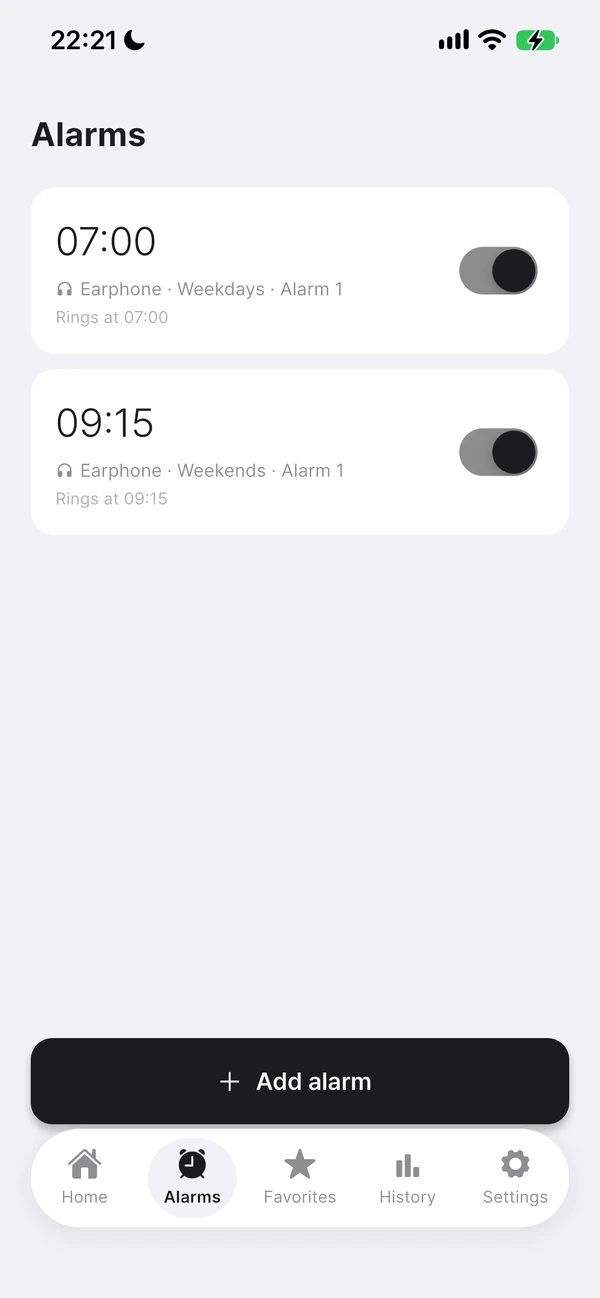
- In the Alarms tab, check that the alarm is on and the days are correct. An alarm that couldn’t be scheduled turns off, so turn it back on.
- Check that notification permission (including exact alarm permission on Android) is allowed.
- On iPhone, check that you haven’t force-quit Nenne from the App Switcher.
- If you just updated the app, open Nenne once — opening it re-syncs the alarm schedules.
To avoid missing an alarm
- Get in the habit of turning off alarms with “Stop Alarm” on the app’s alarm screen rather than the lock screen notification.
- Opening Nenne about once a day to check the list lets you confirm the next alarm is ready.
- On an important day, also set your phone’s built-in alarm.