If I force-quit the app (swipe it away), will the alarm still ring?
After setting an alarm, don’t force-quit the app — just lock the screen. This matters especially for earphone mode on iPhone, where force-quitting the app can prevent the alarm sound from playing at all.
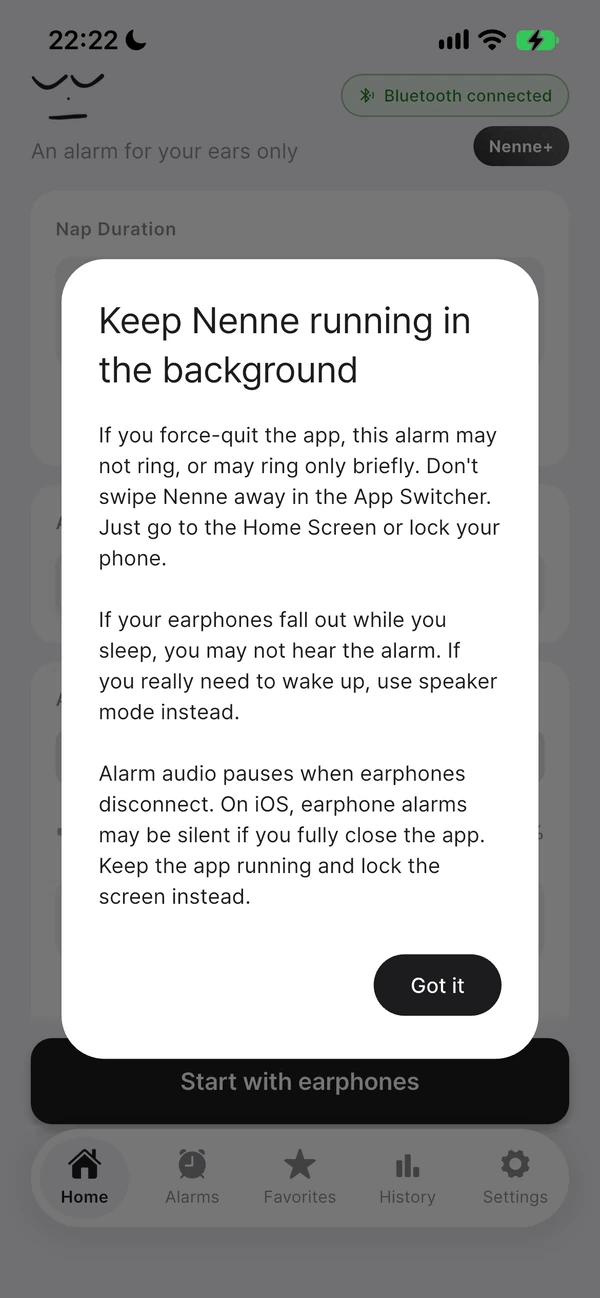
“Force-quitting the app” means swiping Nenne away in the App Switcher. That’s different from going to the home screen or locking the screen — in those cases, Nenne keeps running in the background, so the alarm rings normally.
What changes if you force-quit?
- Earphone-only output · Routing sound only to your earphones requires Nenne to be running. If the app is closed, this control weakens or disappears.
- Detecting earphone disconnection · If the app is closed, the timer can’t pause even if your earphones come out during a nap.
- Repeating wake-up alarms · Scheduling the next occurrence after an alarm ends may only happen the next time you open the app.
What happens when you reopen it?
Reopening the app looks for a nap alarm still scheduled on your phone and shows the running screen again, where you can check the remaining time and cancel it. If it’s in earphone mode and no earphones are connected when you open the app, it stops right away to prevent ringing through the speaker.
Use it this way to stay safe
- After setting an alarm, go to the home screen or lock the screen.
- If you have a habit of clearing apps to save battery, leave Nenne running until the alarm is done.
- For something important, like an interview or a flight, also set your phone’s built-in alarm.
iPhone
On iPhone, Nenne needs to be running to send alarm sound to your earphones. Force-quitting the app changes things this way.
- Earphone mode · To avoid leaking sound to the speaker, only a silent notification is left, so the alarm sound may not play.
- Speaker mode · It rings with a notification sound instead, but depending on your phone’s sound and notification settings, it may not be audible or may ring only briefly.
- Speaker mode + your own sound · It rings with the default alarm sound instead of your own sound.
In earlier versions, reopening the app and force-quitting it again could make a speaker-mode alarm pass silently. This is fixed in the latest version.
Android
Even if you remove Nenne from recent apps, the alarm scheduled on your phone remains. However, tapping “Force stop” in system settings can prevent it from working. While the app is closed, the timer won’t pause even if your earphones disconnect.