Can I see the remaining time on the lock screen?
Yes. On iPhone, the Live Activity on the lock screen (including Dynamic Island on supported models) shows the remaining time; on Android, the progress notification in the notification shade does. You can also check it with a home screen widget.
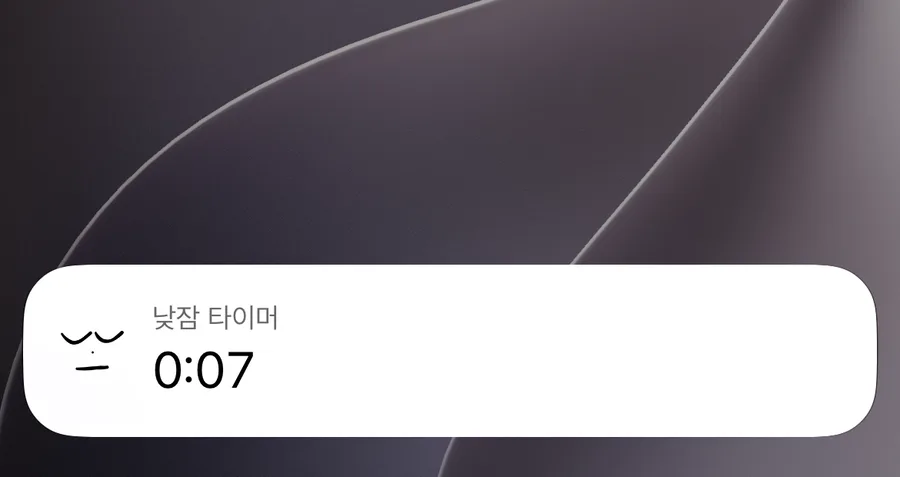
You can check how much time is left while the screen is locked, without reopening the app. It appears automatically when you start a nap timer, and disappears once the nap ends or is cancelled.
When the display differs slightly from the app
Widgets and lock screen displays only refresh when your phone allows it, so they can be a few seconds off from the app screen. These displays only show the remaining time — the actual alarm rings at the time scheduled on your phone. The alarm stays scheduled even if you dismiss the display or remove the widget.
If the display remains after the app closes
If you turn off the alarm while the app is closed, the lock screen display may linger briefly. On iPhone, it changes to “Nap complete” shortly after, and clears the next time you open the app.
iPhone
Starting a nap timer shows the remaining time on the lock screen, and on models with Dynamic Island, there too. Available on iOS 16.1 and above. If you don’t see it, check that Live Activities is turned on for Nenne in iPhone Settings. A lock screen widget is also available. The Live Activity has no cancel button, so cancel from within the app.
Android
A “Nenne is watching over your nap” progress notification appears in the notification shade, showing the remaining time. You can also turn off the nap with the “Cancel Timer” button there. On Samsung devices, the notification appears collapsed, so you may need to pull it down to see the button. It won’t appear if notification permission is off.