What happens if I take out my earphones while the alarm is ringing?
When your earphones disconnect, the alarm sound stops, and it resumes when you reconnect them. It never switches to ringing through the speaker.
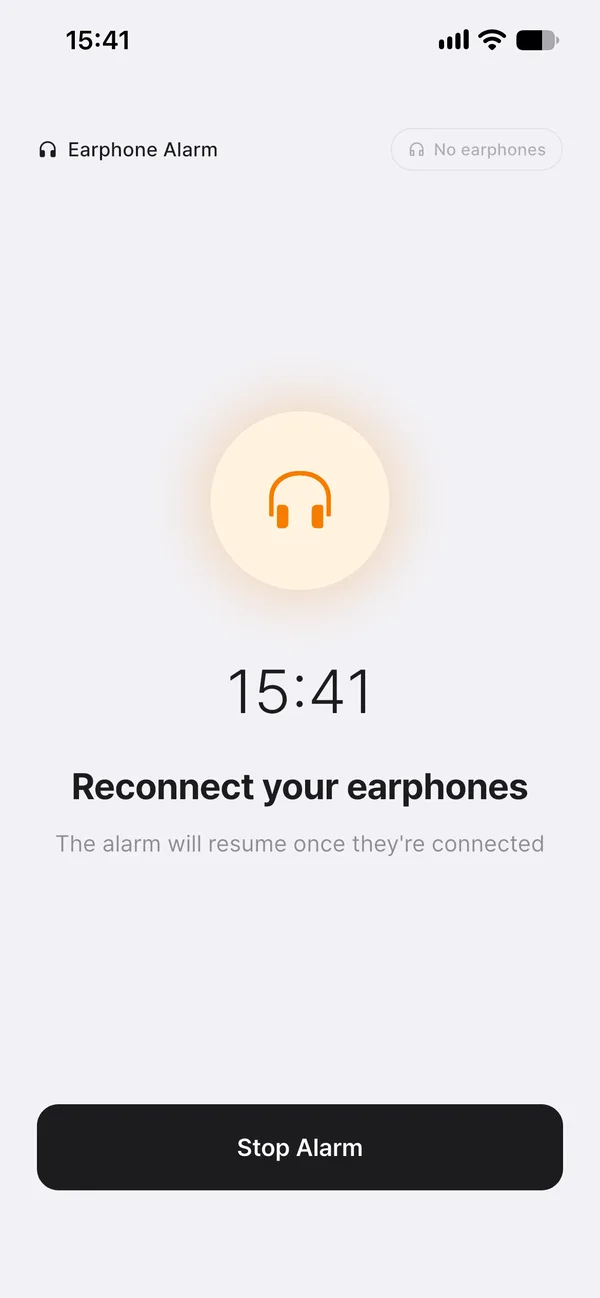
You don’t need to rush to grab your phone when the alarm rings — just taking out your earphones makes it quiet. The screen shows “Reconnect your earphones.”
Taking out your earphones just “pauses” the alarm
So that the alarm doesn’t turn off completely if your earphones briefly come loose from a snagged cable, it’s designed to resume ringing when you reconnect them. To turn the alarm off completely, tap “Stop Alarm” on the alarm screen, or “Stop” on the notification. If you leave it, it turns off automatically 10 minutes after it starts ringing.
The same applies to both nap and wake-up alarms
For both nap and wake-up alarms set to earphone mode, the sound stops if your earphones disconnect while ringing, and resumes through them once you reconnect — the same whether the screen is locked or not.
If you’re using Bluetooth earphones
If the connection to your phone stays active even after taking them out of your ears, the alarm can keep ringing through them. It only stops once they’re put back in the case or disconnected. How sound is handled at the exact moment of disconnection can vary slightly by device and OS.
By situation
- You’re waking up right away · Take out your earphones to silence it, then tap “Stop Alarm.”
- Your earphones came out on their own · The sound stops, so you might not hear the alarm. If you absolutely must wake up, also use speaker mode or your phone’s built-in alarm.
- You put them back in · The alarm rings through your earphones again.