What if my earphones come out while the nap timer is running?
In earphone mode, about 1.5 seconds after your earphones disconnect, both the timer and the scheduled alarm stop. Reconnect your earphones and it counts down again from where it left off.
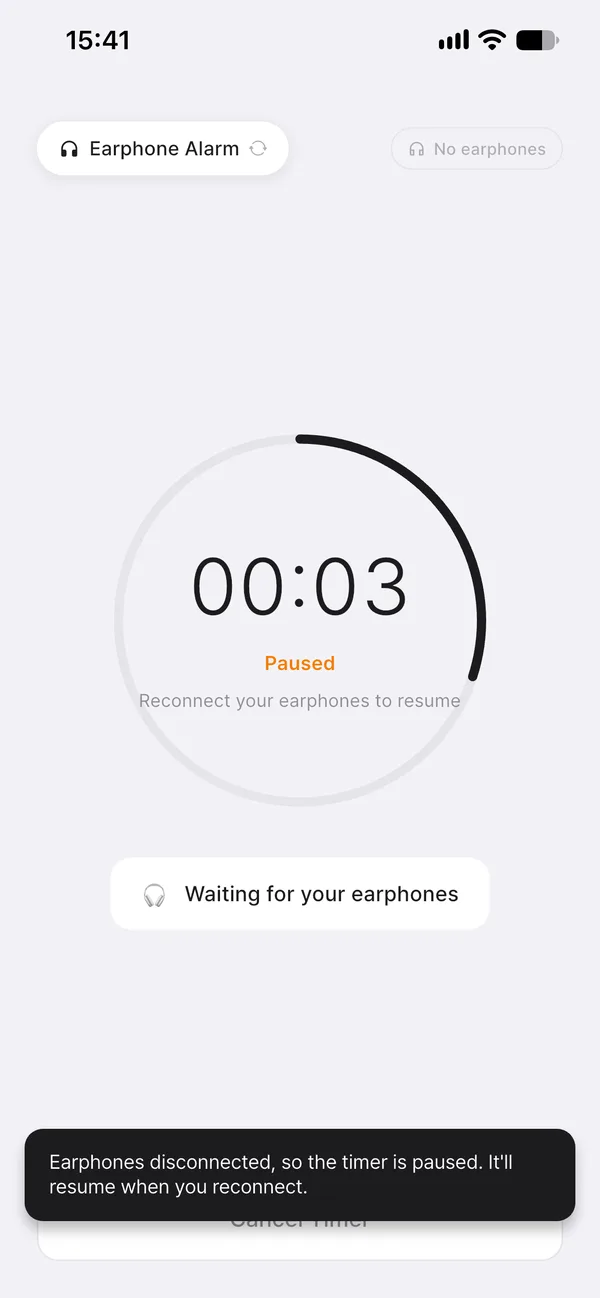
Why does even the timer stop?
If time runs out with no earphones connected, there’s nowhere for the alarm to ring. Left as is, no sound would play once the alarm time passes, or it could ring through the speaker and wake people nearby. So when your earphones disconnect, Nenne pauses both the timer and the alarm scheduled on your phone, holding the remaining time in place.
It waits 1.5 seconds before pausing, so a brief slip that you immediately fix while tossing and turning doesn’t stop the timer. While paused, the screen shows “Paused” and “Waiting for your earphones.” Reconnect your earphones and it shows “Earphones connected. Timer resumed.” and counts down again from where it left off.
If you want to continue without earphones
Switch the alarm mode to speaker and it continues counting down from where it left off, ringing through the speaker when time is up. This is handy if the people around you have left and you’re on your own.
Good to know
- This behavior applies while Nenne is running. If the app is fully closed, it can’t detect that your earphones disconnected.
- If you force-quit the app while paused from a disconnection, there’s no scheduled alarm left, so the alarm won’t ring.
- If your earphones come out while you’re asleep, you might not hear the alarm. If you absolutely must wake up, use speaker mode or also set your phone’s built-in alarm.