Can I use my own music file as an alarm sound?
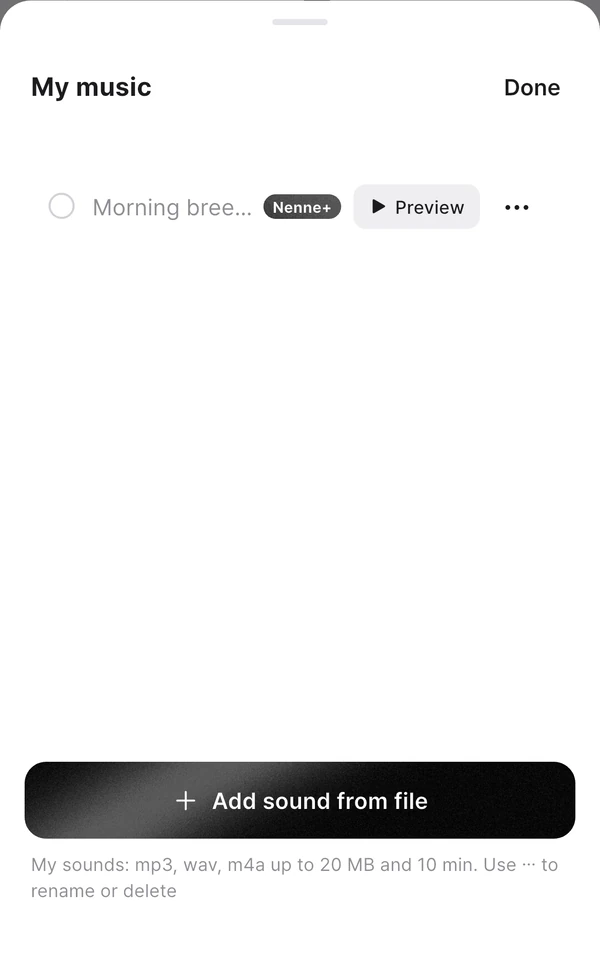
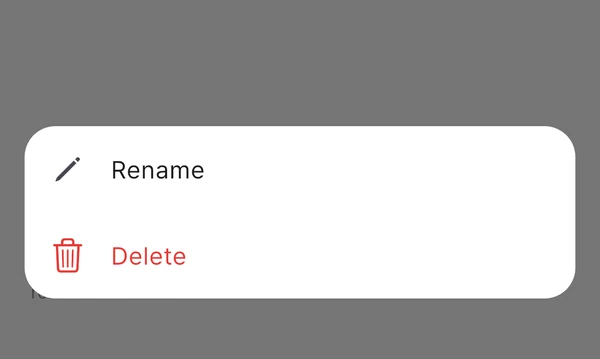
With Nenne+, you can use mp3, wav, and m4a files as alarm sounds. Open My music using the “Use my own alarm sound” shortcut on Home or in the wake-up alarm editor. Use each sound’s ⋯ menu to rename or delete it. You can add up to 10 files, each 20 MB and 10 minutes or less.
How to add one
- Open My music using the Use my own alarm sound shortcut on Home or in the wake-up alarm editor. You can also import through Browse more sounds by theme → My music.
- Tap Add sound from file and pick an audio file.
- Nenne checks the sound and adds it to the list. Use Preview to check the volume.
Supported files
- Format · mp3, wav, m4a
- Size and length · Up to 20 MB, between 0.5 seconds and 10 minutes
- Count · Up to 10
When a file can’t be added
- Copy-protected tracks · Songs downloaded from streaming apps like Apple Music can’t be used.
- Files that are too quiet or nearly silent · They’re rejected because they’re unlikely to wake you.
- Files with more than 2 seconds of silence at the start · The alarm would be heard late. Choose a file with the beginning trimmed.
On the other hand, very loud files are lowered to about the level of the built-in sounds when added, so you won’t be startled.
Good to know
- Imported sounds are stored inside Nenne, so the alarm still rings even if you delete the original file.
- Use a sound’s ⋯ menu to Rename it (up to 40 characters) or Delete it. Long-pressing opens the same menu. Sounds used by saved wake-up alarms are protected; change the sounds of the listed alarms first. Deleting the currently selected sound switches to the default sound after confirmation.
- On iPhone, if the app is force-quit and a speaker-mode alarm rings, it uses the default alarm sound instead of your own.
- When Nenne+ ends, your imported files aren’t deleted and alarms set with them keep ringing. Only adding or choosing new ones is blocked.