My nap streak looks broken
A streak counts how many consecutive days have a recorded nap. If you haven’t napped yet today, it shows the streak through yesterday; skip a day with no recorded nap and it starts over. A nap turned off from the notification isn’t recorded, so stop it from the app’s alarm screen instead.
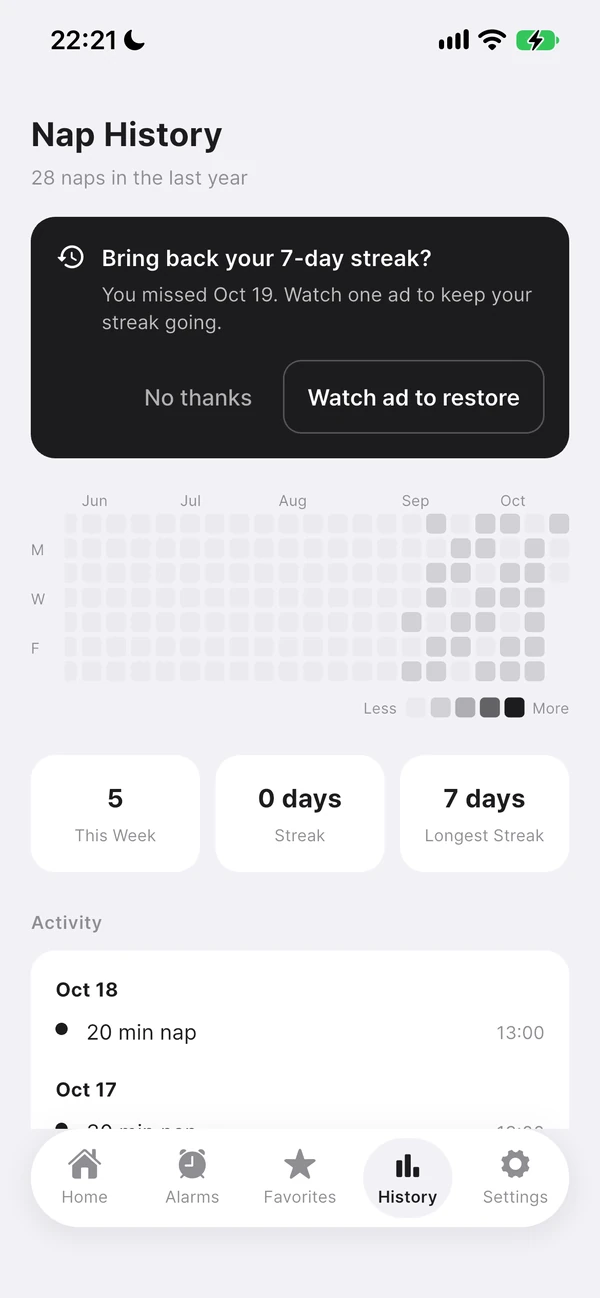
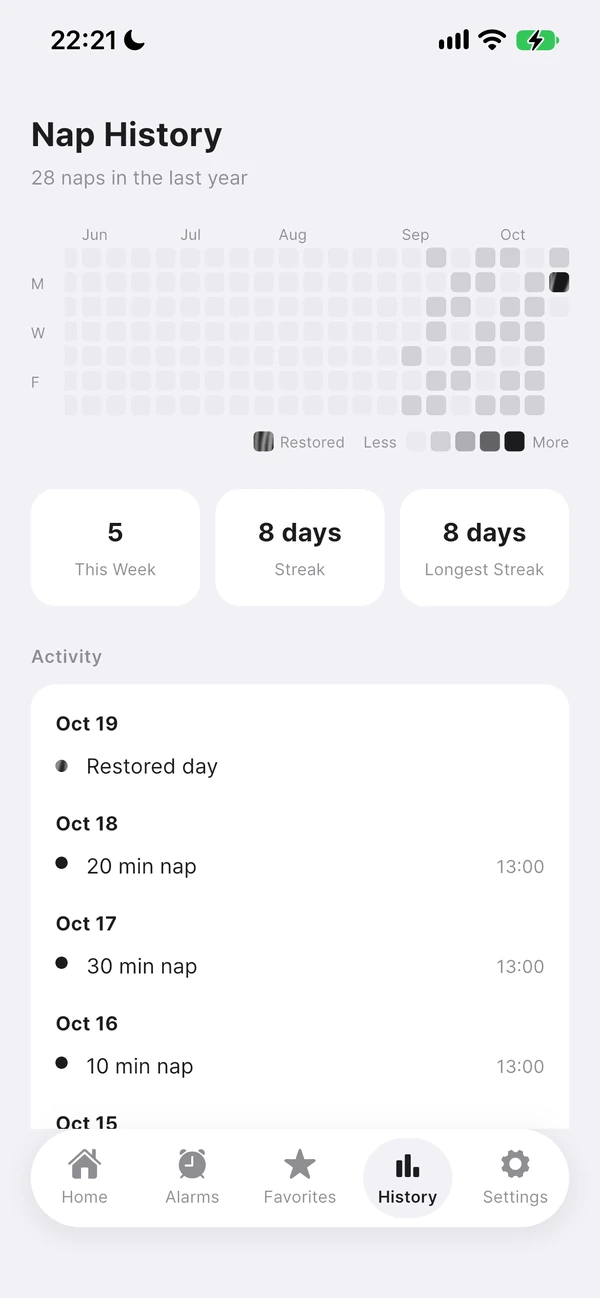
If a day has no recorded nap
A nap is only recorded if you turned it off from the app’s alarm screen. A nap turned off with “Stop” on the lock screen notification, or one that turned off automatically after 10 minutes while the screen was locked, isn’t recorded — which can break your streak that day. A nap cancelled partway through isn’t recorded either.
Cases that looked broken in earlier versions
The two issues below were bugs in earlier versions — update to the latest version and your streak will show correctly.
- The streak showing 0 days if you hadn’t napped yet today
- The streak appearing broken after a daylight saving time change, in regions that observe it
How to read the History tab
- Grid graph · Each cell is one day, and a darker color means more naps that day. Tap a cell to see that day’s record.
- This Week · The number of naps recorded this week
- Streak · The number of consecutive days with a recorded nap
- Longest Streak · Your longest streak ever
- Frequently Used · The nap durations you’ve used most over the last 90 days now live in the Favorites tab.