Can I restore a broken nap streak?
If a streak of at least 3 days has a single missed day, you can restore it within 48 hours of midnight at the end of that missed day. At least 7 days must have passed since your last restoration. When eligible, a restore card appears at the top of History or on the nap completion screen.
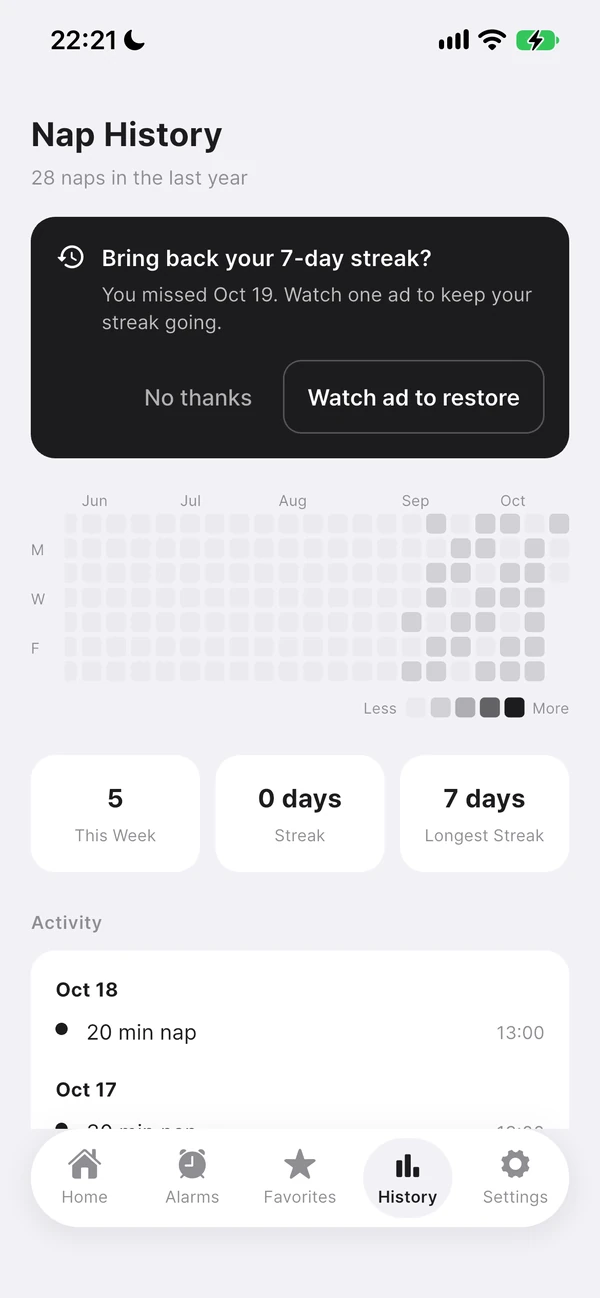
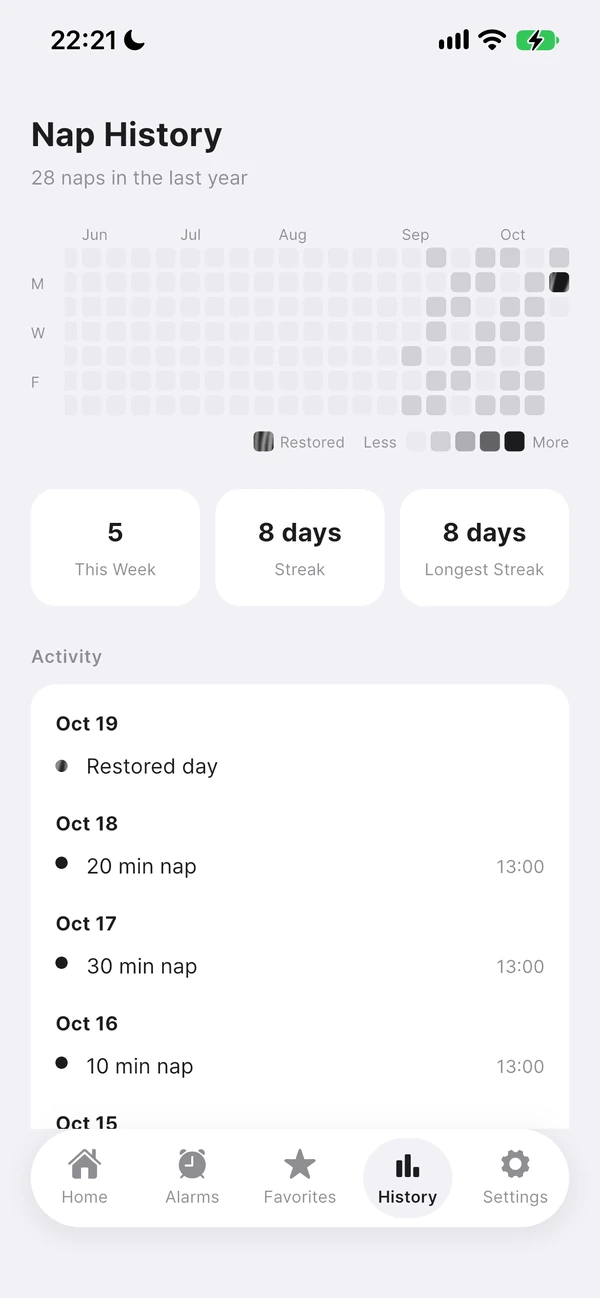
When the restore card appears
- The previous streak must be at least 3 days long, with only one missed day.
- You must be within 48 hours of midnight at the end of the missed day: the missed day is yesterday or the day before.
- At least 7 days must have passed since the last restoration. A date you declined to restore is not offered again.
- For restoration by watching an ad, the card appears only when an ad is ready. It is hidden during a nap.
How to restore
Tap the restore card at the top of History or on the nap completion screen and follow the instructions. If an ad is shown, watch it to the end to restore the day. If there is no card, check the conditions and time window.
How restored days count
Restored days have a patterned cell and a “Restored day” label. They count toward your current and longest streaks, but not your weekly nap count or total time, because they are not actual nap records.