What is the Favorites tab?
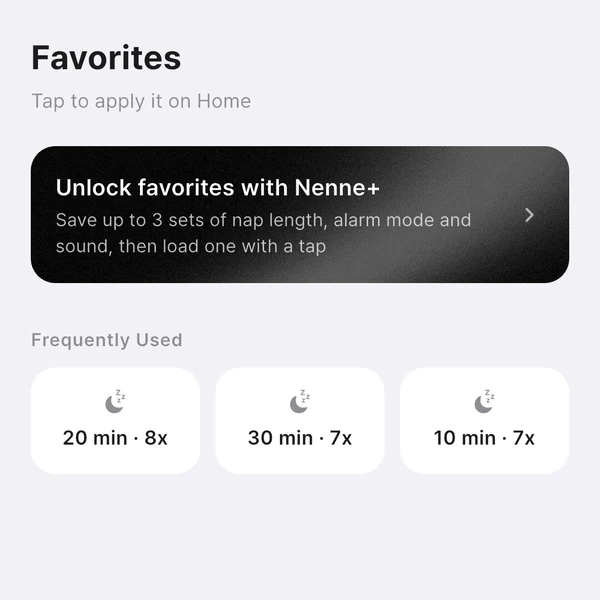
It’s a tab for saving nap setups you use often and applying them to Home with one tap. “Frequently Used,” which shows your most-used nap durations, is free; saving up to 3 favorites with duration, alarm mode, and sound together is a Nenne+ feature.
Saving a favorite
- On the Home tab, set the nap duration, earphone/speaker mode, and alarm sound the way you like.
- In the Favorites tab, tap Save current.
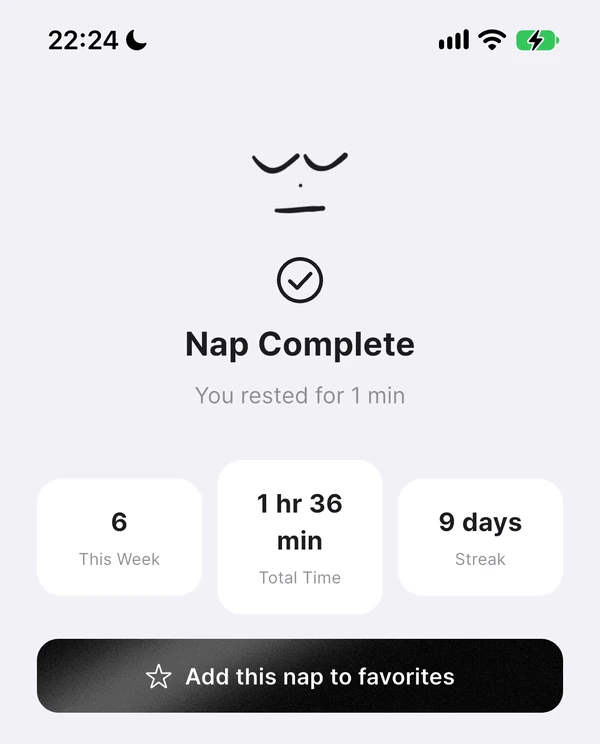
After a nap, you can also tap Add this nap to favorites on the completion screen to save that nap’s duration, mode, and sound.
Applying and deleting
- Tap a favorite and the nap settings on the Home tab change to match. The timer doesn’t start by itself, so start it from Home.
- You can’t change settings while a nap is in progress.
- Swipe left to delete; you can undo from the message that appears.
- If the saved sound can’t be found (for example, a deleted sound of your own), Nenne keeps your current sound and lets you know.
What’s free
Frequently Used is free. After a few naps, the durations you used most in the last 90 days show up, and tapping one sets that length on Home. Favorites that save duration, mode, and sound together are available with Nenne+, up to 3.