Update
Nenne 1.3.0: Nenne+, a Favorites Tab, and Alarms That Grow Louder
Bring back your usual nap in one tap, get a second chance on hard mornings, and wake up a little more gently. Here’s what’s new in Nenne 1.3.0.
Since we launched Nenne, two requests have come up more than any others: “I want to wake up to a sound I like” and “Some days I just can’t get up on the first alarm.” We kept hearing them in comments, on Discord, and in reviews, and Nenne 1.3.0 is our answer to both.
This update brings the Nenne+ subscription, a new Favorites tab at the bottom of the screen, alarms that start quietly and slowly grow louder, and optional vibration. The Home Screen widget has also been simplified.
First, one thing we want to be clear about: everything you need for your alarm to ring on time — earphone-only alarms, the nap timer, and wake-up alarms — stays free. Updating won’t lock any feature you already use. Nenne+ is an option for people who want to make Nenne a little more their own.
The Nenne+ subscription screen
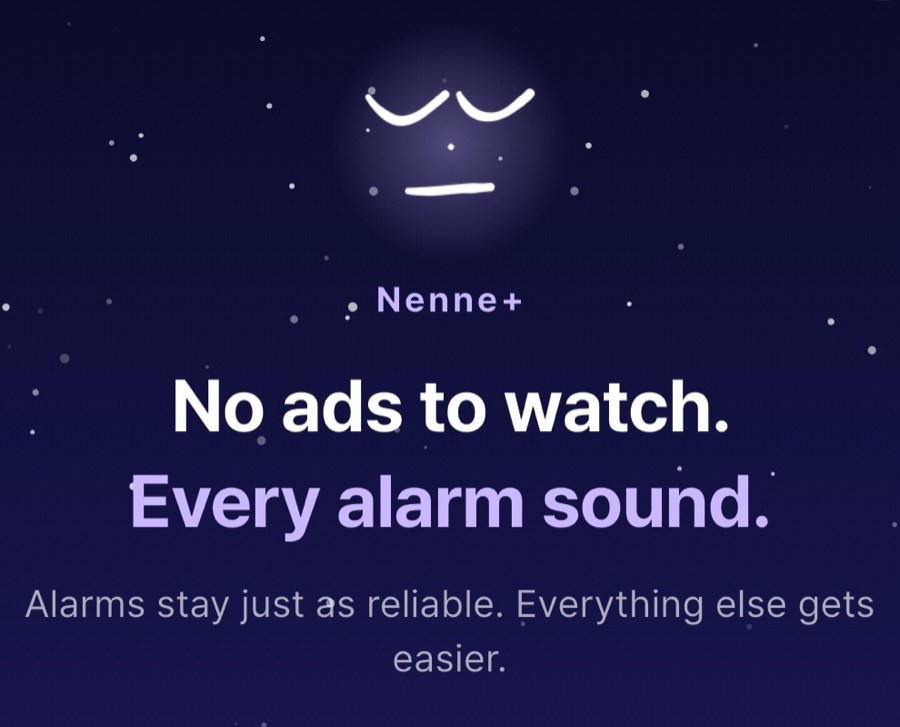
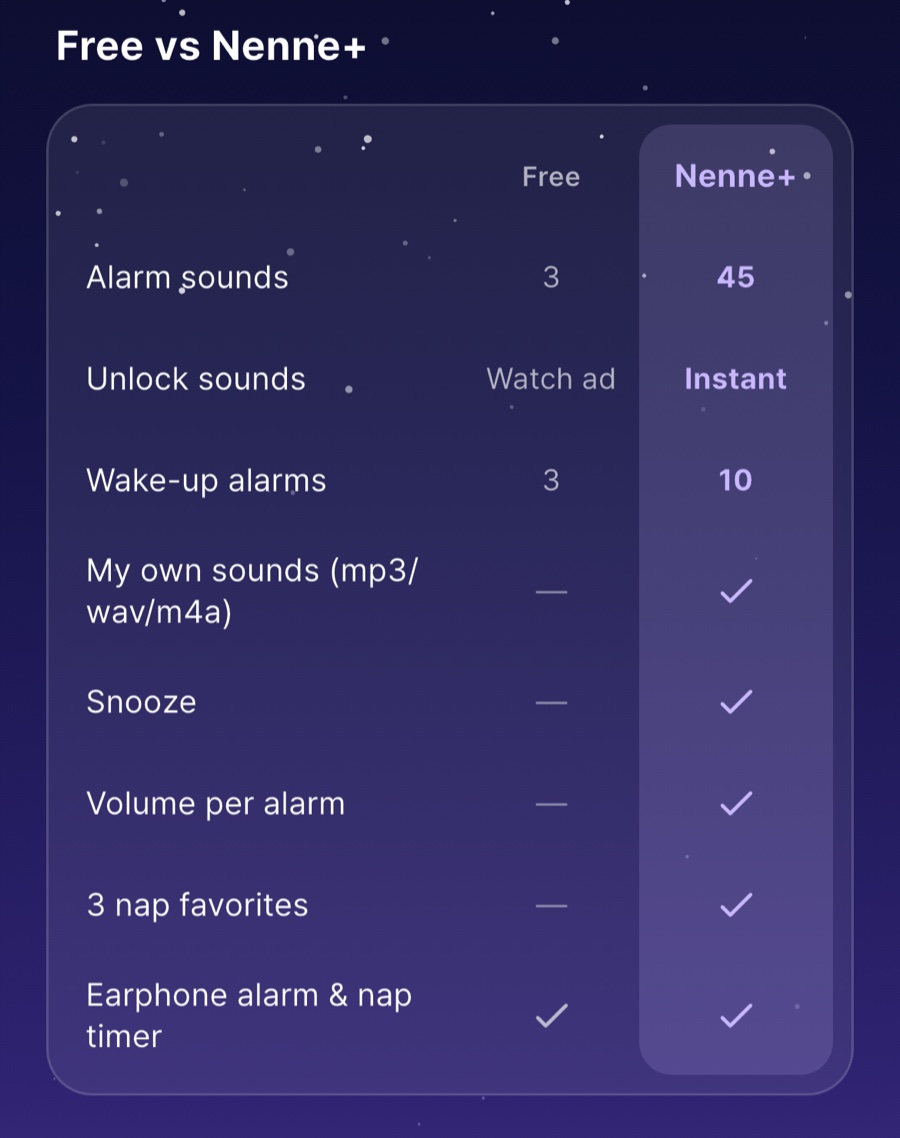
What’s new, part 1
Make Nenne your own with Nenne+
With Nenne+, you can use all 45 alarm sounds without watching ads. Until now, a locked sound had to be unlocked by watching an ad, and it locked again once you fully closed the app. With Nenne+, every sound stays available, including the 23 new ones added in this update.
You can create 3 wake-up alarms for free, or up to 10 with Nenne+. That helps if your days follow more than one rhythm — weekdays and weekends, class days and days off. If you already had 4 or more wake-up alarms before updating, don’t worry: every existing alarm keeps ringing, and you can still edit them or turn them on and off.
Nenne+ also lets you set a separate volume for each wake-up alarm — a little louder for your morning alarm at home, softer for the one you use at the library. And it includes the two features we were asked for most: alarms with your own sounds, and snooze.
Wake up to a sound you love
You can use mp3, wav, and m4a files saved on your phone as alarm sounds. Pick a file from “My sounds” on the alarm sound themes screen, and Nenne checks the sound before adding it to the list.
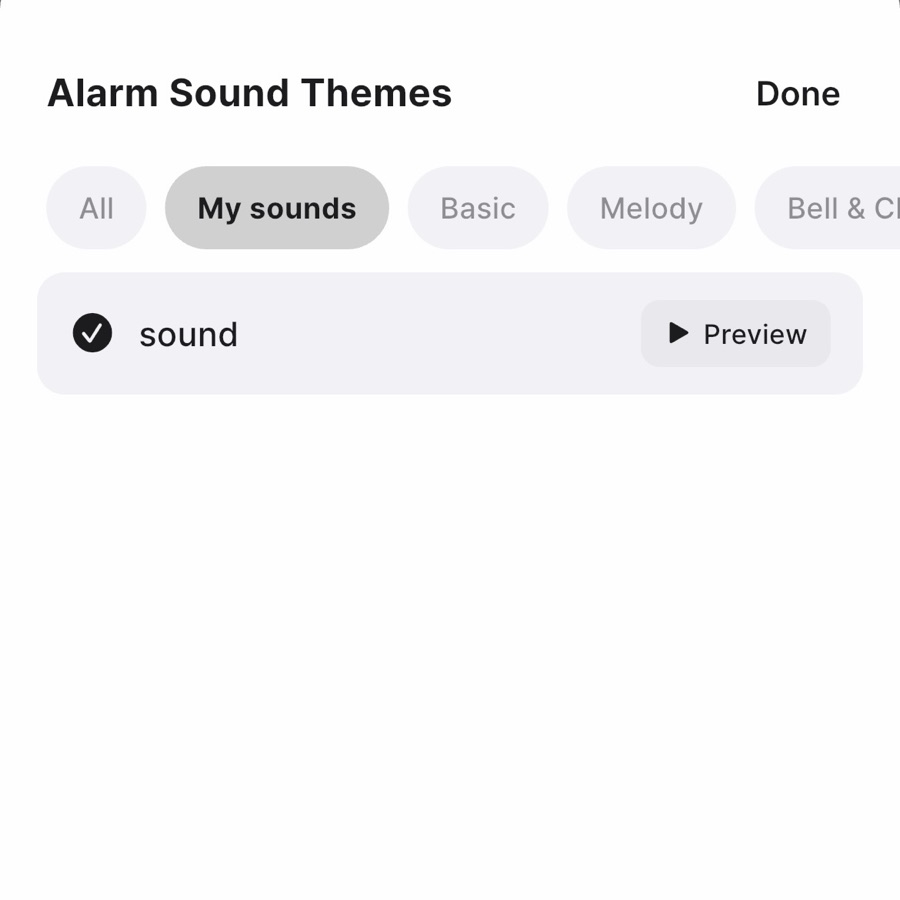
When you import a file, Nenne makes sure it works as an alarm. Files that are nearly silent or too quiet, or that stay silent for more than 2 seconds at the start (so the alarm would be heard late), aren’t accepted. Files that are very loud are lowered to about the level of the built-in sounds. Earphones play right next to your ear, and even a favorite song can be startling if it suddenly starts at full blast.
Imported sounds are stored inside Nenne, so your alarm still rings even if you delete the original file.
Snooze, for the days one alarm isn’t enough
The ringing screen now has a snooze button. Tap “Snooze N min” on a wake-up alarm or “Nap N more minutes” on a nap, and the same sound rings again after the interval you set. Choose 5, 10, or 15 minutes in the Settings tab.
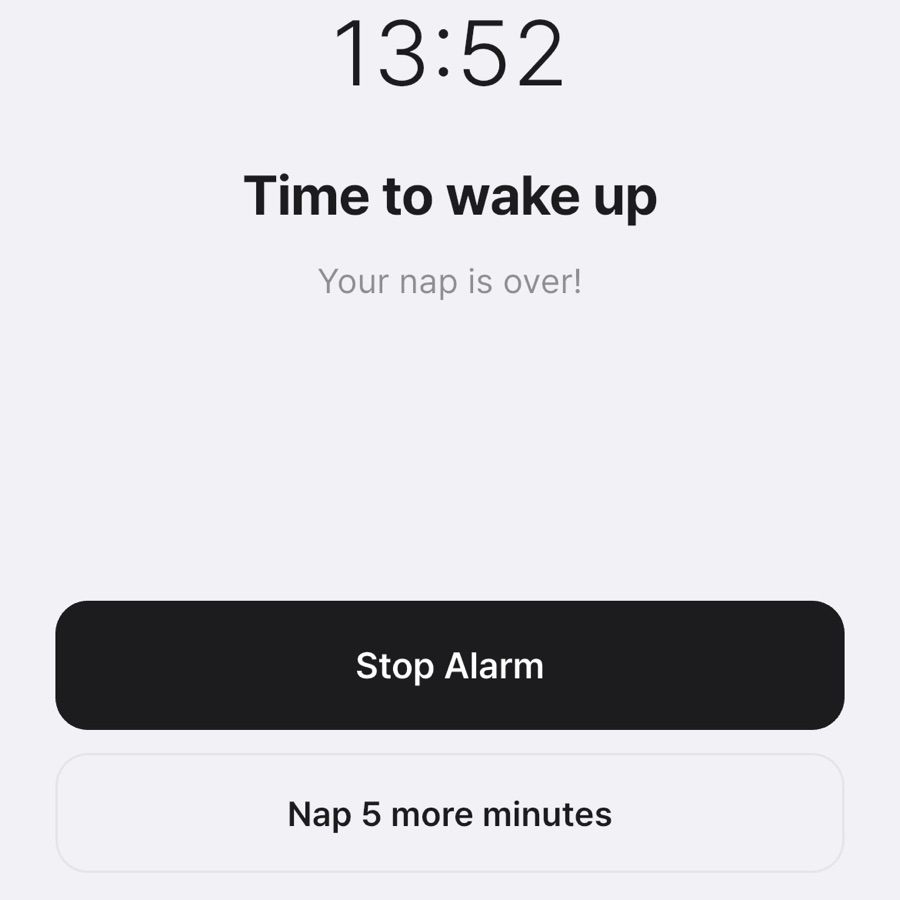
You can snooze up to 3 times, so it doesn’t turn into endless snoozing that makes you late anyway. Even if you tap “Nap more” several times, only the original nap is recorded in your history. A snoozed wake-up alarm shows its time under that alarm in the Alarms tab, so if you’re already up, you can cancel it right there.
Nenne+ comes as a yearly or monthly subscription or a one-time lifetime purchase, and you can start from the Nenne+ card at the top of the Settings tab. If your subscription ends, your alarms don’t turn off. Sounds chosen with Nenne+, your own sounds, and per-alarm volumes keep working as saved; only choosing or changing them is blocked. We don’t think an alarm should ever go quiet without you knowing. You can find more details in the Nenne+ section of our FAQ.
What’s new, part 2
Your usual nap in one tap: the Favorites tab
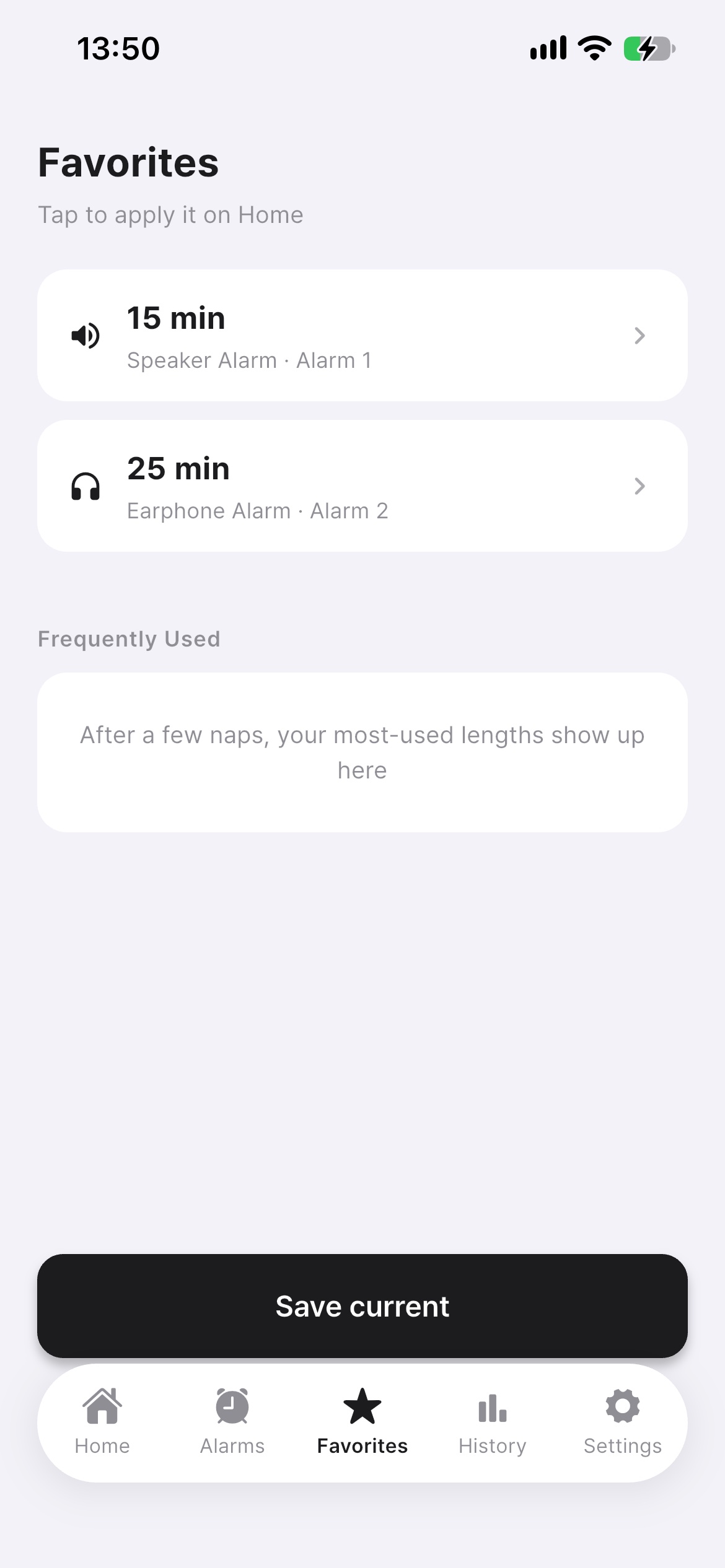
Naps tend to repeat in familiar shapes: 20 minutes at your office desk over lunch, 15 minutes with earphones at the library, 30 minutes on the speaker at home. Yet setting the time, switching the alarm mode, and picking the sound again every time is more of a hassle than it seems.
So we added a Favorites tab at the bottom of the screen. Save a nap duration, earphone/speaker mode, and alarm sound as one set, and tap it to apply everything on Home. The timer doesn’t start on its own — just check the settings and press start.
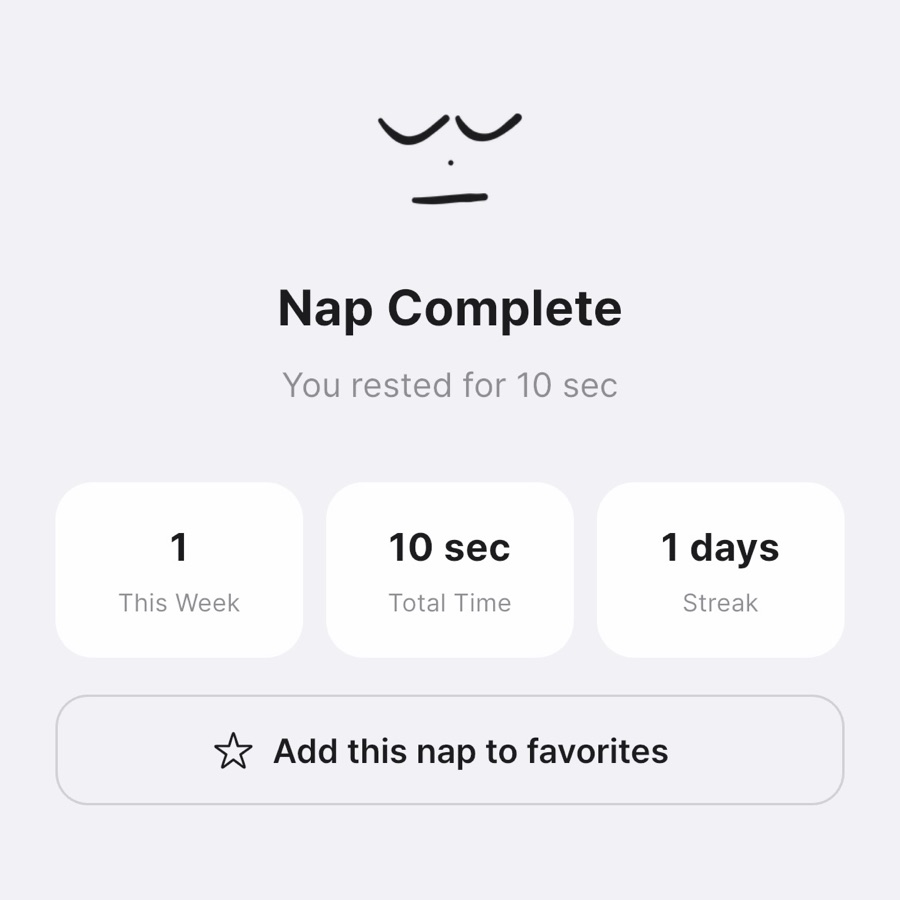
You don’t even have to set up favorites separately: after a nap, tap “Add this nap to favorites” on the completion screen. If that nap felt right, it’s the easiest way to keep the combination. To delete a favorite, just swipe it to the left.
“Frequently Used,” which used to live in the History tab, has moved to Favorites too. It shows the nap lengths you’ve used most and stays free, while saving up to 3 favorites with duration, mode, and sound together is a Nenne+ feature.
What’s new, part 3
Wake without a jolt: gradually louder alarms and vibration
Earphone alarms ring right next to your ear. Nobody around you hears them, but when you’re deeply asleep, a loud sound from the very first second can make your heart jump. A short nap meant to refresh you shouldn’t end with a fright.
Starting with 1.3.0, alarms begin quietly and slowly rise to your set volume over 15 seconds. This is on by default; if you prefer the same volume from the start, you can turn it off in the Settings tab. If your earphones disconnect and reconnect while the alarm is ringing, it starts quietly again.
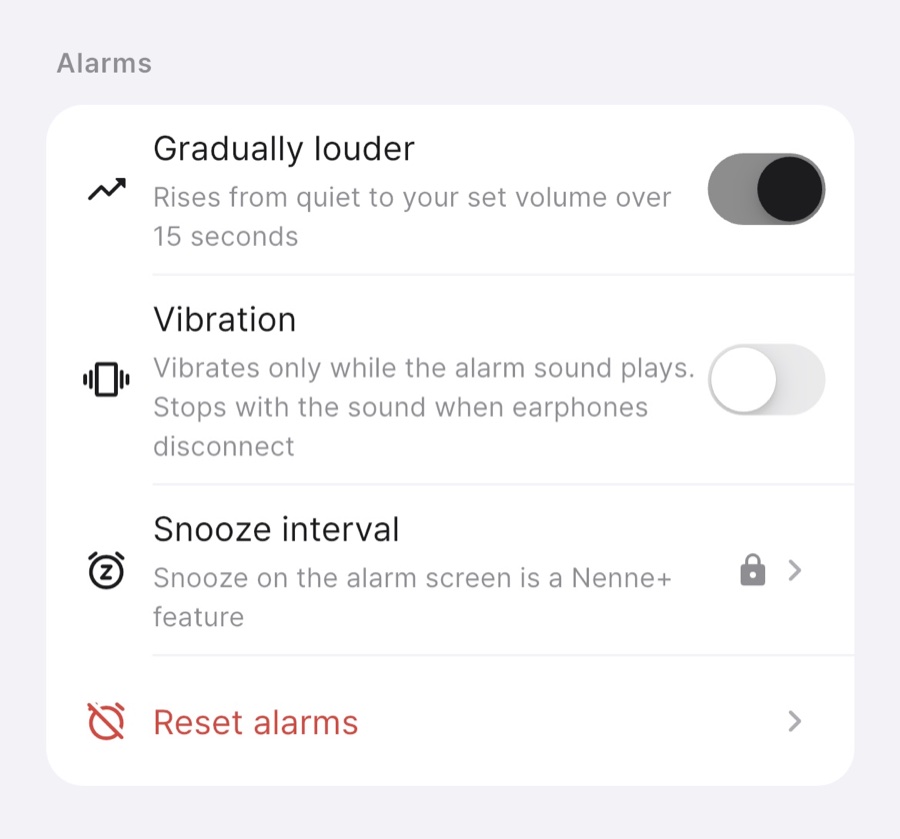
You can now choose vibration, too. It’s off by default; when you turn it on in the Settings tab, the phone vibrates only while sound is playing, and if your earphones disconnect and the sound stops, the vibration stops with it. In a quiet reading room, vibration on a desk can be surprisingly loud, so choose what fits the place.
Other changes
A simpler widget and more reliable alarms
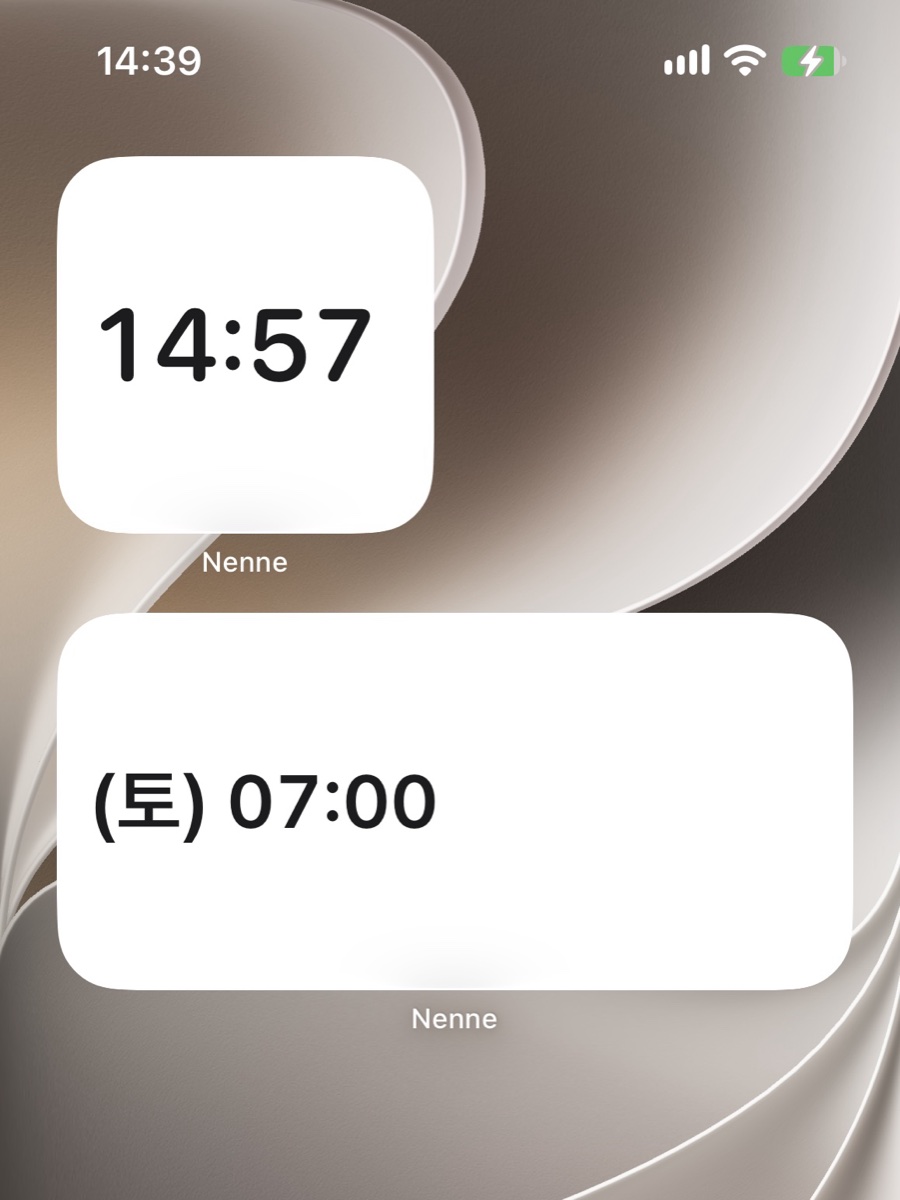
The Home Screen widget drops the logo and title and simply shows the time in large numbers, so you can read your remaining nap time or next alarm at a glance as you swipe through your Home Screen.
We also polished things you can’t see. On iPhone, we fixed an issue where a speaker-mode alarm could pass silently if you reopened the app and then force-quit it again. Changing the volume on Home now applies right away to wake-up alarms you’ve already set. And on small screens or with large text, the Stop Alarm button no longer gets pushed off the screen.
Nenne 1.3.0
Alarms as reliable as ever. Everything else, easier.
The one thing Nenne has to get right is still the same: waking only you, on time, without disturbing anyone around you. Everything added in this update is meant to make that moment a little easier.
Favorites cut down the setup before you rest, gradually louder alarms soften the moment you wake, and snooze helps on the days one alarm isn’t enough. And alarms with your own sounds let you choose what you hear every day.
Once you’ve updated, open the Favorites tab and save the nap you take most often. Then try a 10-second timer with your earphones in and listen to the alarm rise — you’ll notice the difference right away. Thank you to everyone who uses Nenne and sends us feedback.

Nenne 1.3.0
One tap to set up.
A gentle way to wake.
Try the Favorites tab, gradually louder alarms, and Nenne+ in Nenne 1.3.0.
Download Nenne