Update
Nenne 1.2.0: Dark Mode, Home Screen Widgets, and 13 New Alarm Sounds
An easier screen in the dark, Nenne closer at hand on your Home Screen, and a sound that suits you when it is time to wake. Here are the three changes in Nenne 1.2.0.
While preparing Nenne 1.2.0, I kept coming back to one question: how naturally can an app stay close when you want to take a short break? The headphone alarm exists so you can rest without worry in a quiet place. I also felt that everything around it should be just as comfortable: opening the app, looking at the screen, choosing a sound, and putting your phone down again.
This update has three changes: dark mode for more comfortable viewing in dim places, a widget for your Home Screen, and 13 additional alarm sounds to choose from. Each may look small on its own, but they refine the screens you use often and the sound you may hear every day, so they make a meaningful difference to the experience.
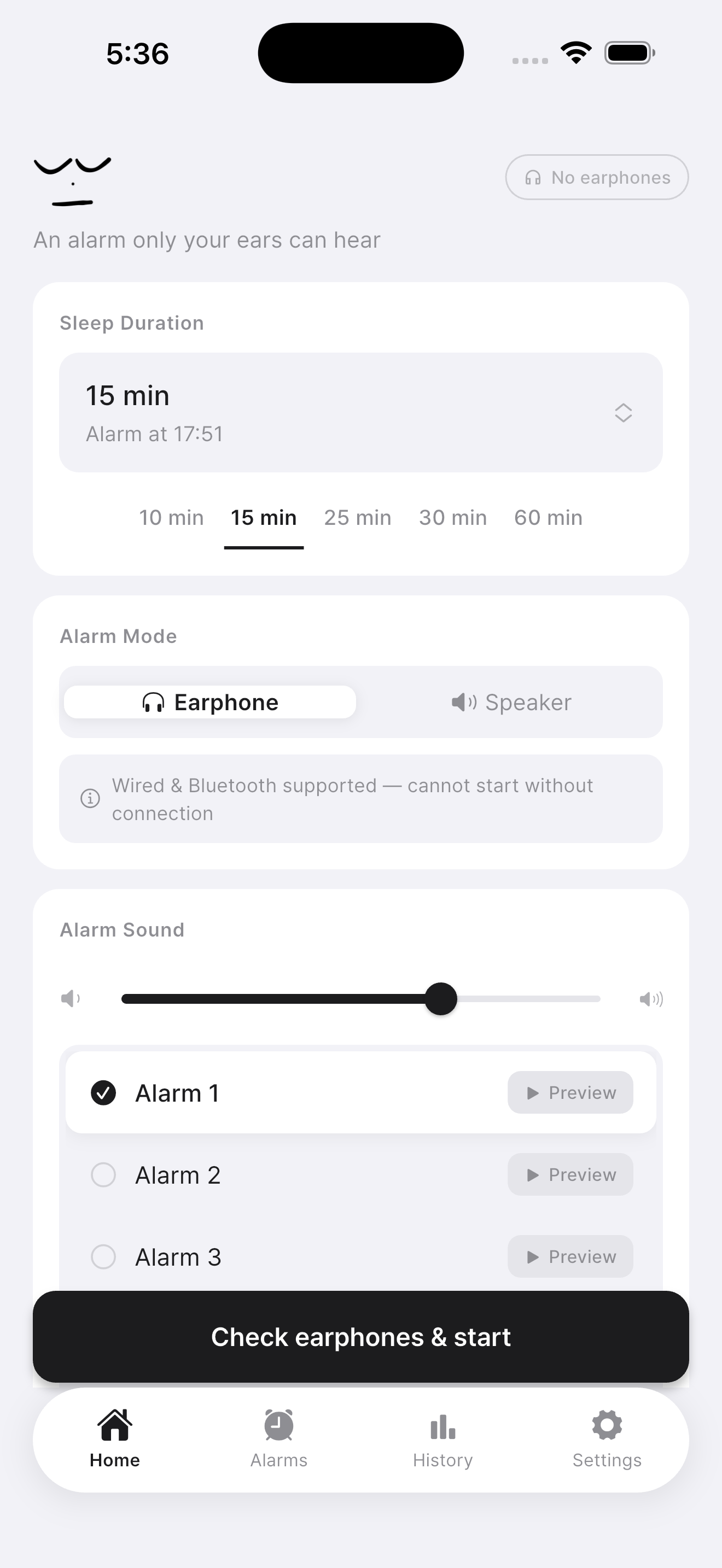
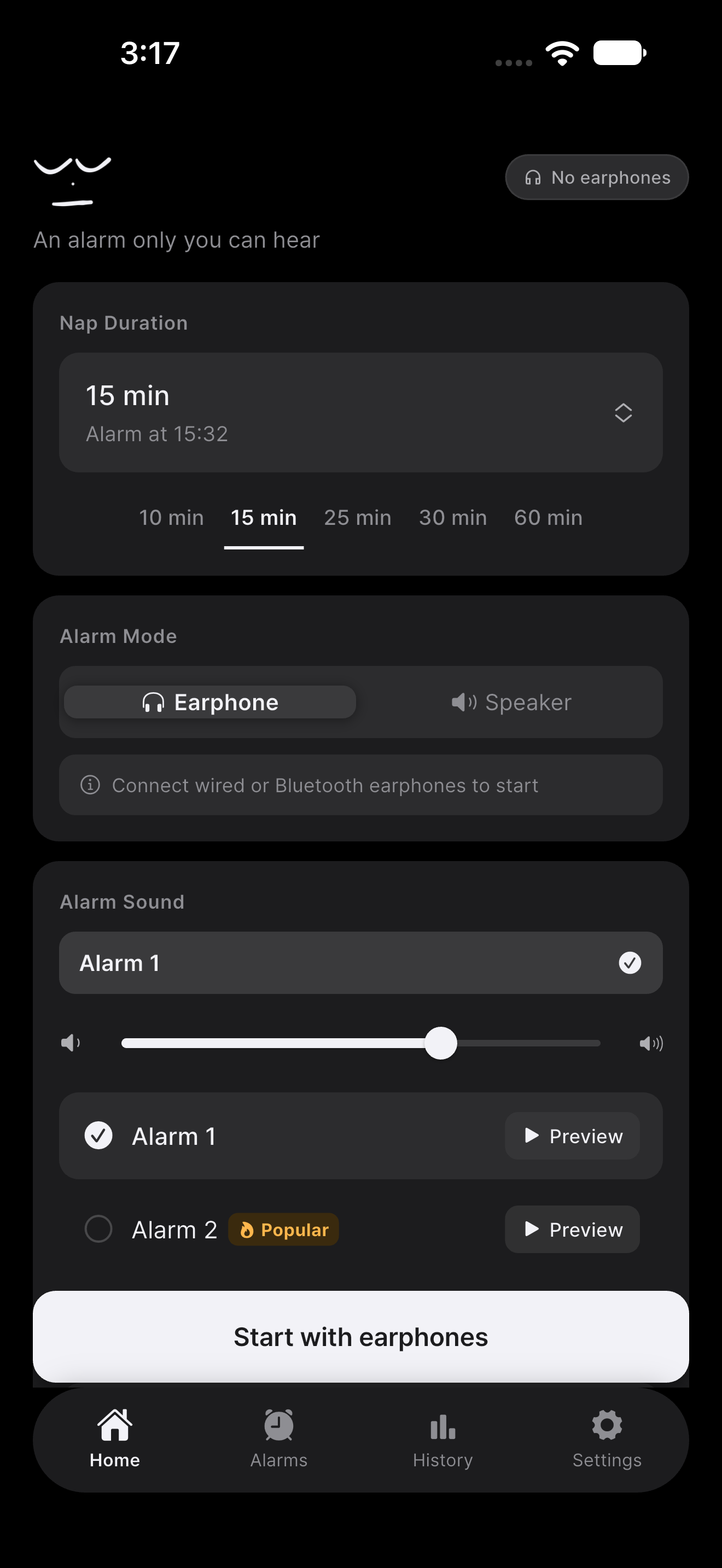
Below, you can see the familiar light screen alongside the newly added dark screen. Even with the same nap timer, the feeling of a screen changes with the light around you and the time you use it. This post walks through what has changed and where you may notice it.
Light and dark screens
First change
Dark mode for a more comfortable screen in the dark
Good moments for closing your eyes do not only come in bright daylight. You may be setting an alarm for the next morning in a dorm late at night, or checking the time one last time before sleep in a dim room. When a bright screen suddenly fills your view, opening an app to rest can feel as though it has made sleep more distant instead.
Nenne 1.2.0 supports dark mode for those times. You can see the familiar flow of choosing a nap duration, selecting headphones or speaker for the alarm, and previewing a sound in a darker palette too. As the screenshot above shows, Nenne's controls and buttons now continue across a dark background.
Dark mode is not only about a black screen looking good. When you are getting ready to rest, you want to check only the settings you need and set your phone down, rather than keep looking at a screen. The point of this change is to let you choose a screen that does not feel demanding when the room around you is dark.
The familiar light screen remains available as well. Whether you are preparing for a nap at your desk in the daytime or setting an alarm beside your bed at night, you can use the same app in the view that feels comfortable to you. Whatever the screen color, what matters is still being able to clearly confirm when you will wake and where you will hear the alarm.
Second change
A Home Screen widget that keeps Nenne close
A nap is less like sleep you plan at length and more like a small gap that appears during the day: time left after lunch, an afternoon when studying starts to blur, or a moment when you finally get to sit down while traveling. At times like these, even the few taps needed to find an app can feel longer than they are.
That is why 1.2.0 adds a Home Screen widget. If you use Nenne often, you can place the widget on your Home Screen and keep the app closer. It is a change meant to make Nenne as easy to recall as an object you always keep in the same place when you need a brief rest.
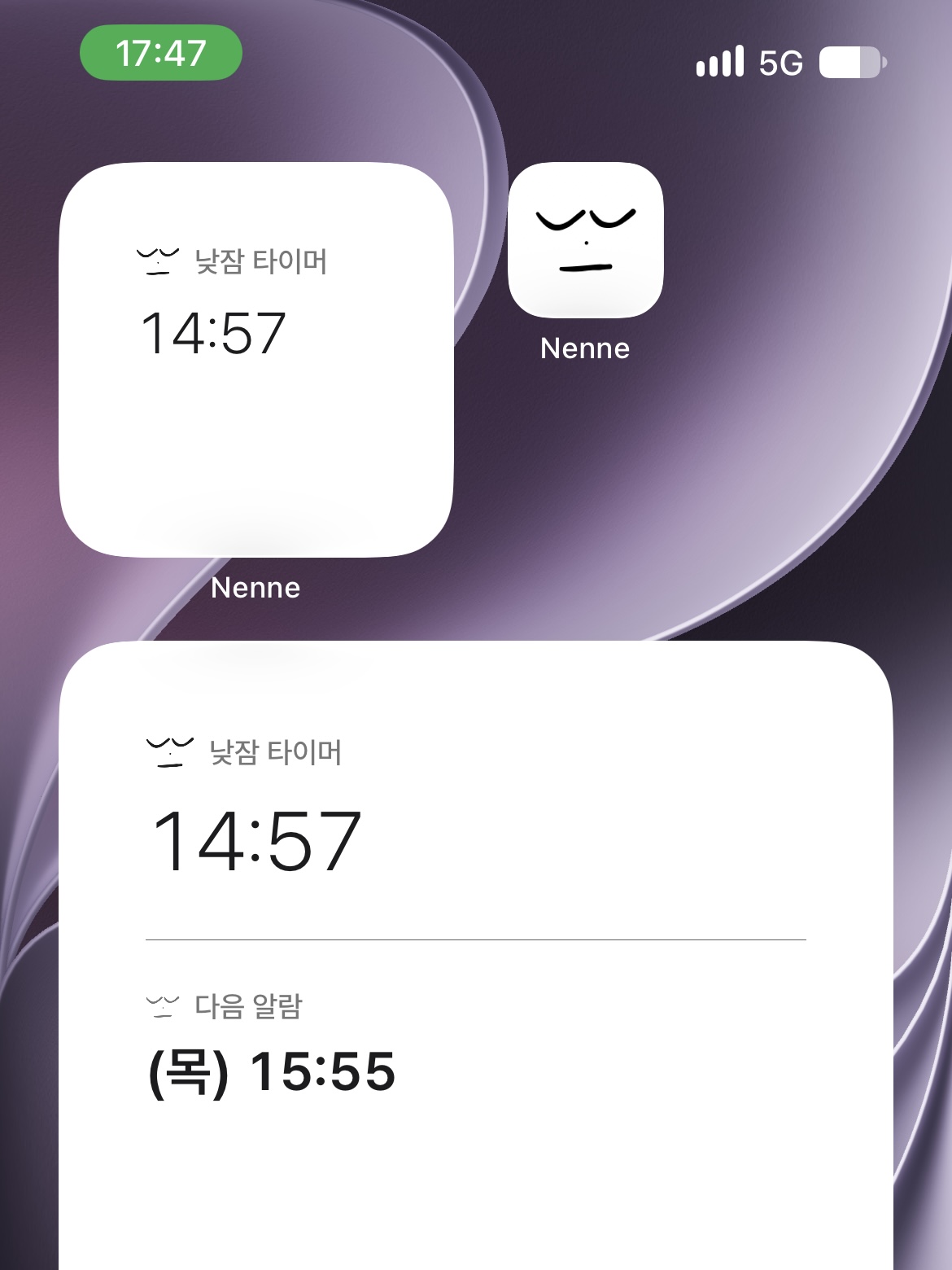
The widget is also a small way to keep a nap from becoming a bigger task than it needs to be. When you think, “I have a little time,” the fewer steps there are to find Nenne, set the time you need, check the alarm method, and rest, the easier it is to focus on the break itself.
You can still open the app the same way without using a widget. This update simply gives you another option. If you keep frequently used tools together on your Home Screen, try placing the Nenne widget there and find the spot that works for you.
Third change
13 new alarm sounds for more choice at wake-up time
An alarm often stays with you longer when it rings than when you set it. A sound that is too sharp can startle you, while one that is too familiar can become easy to tune out. People respond differently to the same sound, so it is hard to recommend one sound to everyone.
This update adds 13 alarm sounds. Alongside the sounds already available, the wider selection should make it easier to find one that you notice comfortably. You can preview a sound in Nenne before choosing it, so you do not need to decide from its name alone.
With a headphone alarm, you hear the sound close to your ears. Instead of judging it by the volume you would use through a phone speaker, it is best to connect the headphones you will actually use, preview it, and set a comfortable volume. An alarm in a quiet reading room can also feel quite different from one at home.
More sounds do not mean you need to pick the loudest one. The important thing is whether you can notice it at the time you promised yourself. Listen to a few sounds briefly, then choose one that is clear without being startling. It can make both starting Nenne and opening your eyes again feel more natural.
Nenne 1.2.0
An update that makes a small pause easier
At a library, you need an alarm that will not interrupt someone else’s concentration. In a dorm, you need a way to wake without waking someone else. At work, you need to avoid missing the end of lunch; on the subway, you are thinking about when to get off. The places differ, but the wish to rest briefly and wake on time is much the same.
Dark mode refines the moment you look at Nenne, the widget refines the moment you look for it, and the new alarm sounds refine the moment Nenne wakes you. Those are the moments on either side of rest that 1.2.0 changes. I wanted to make Nenne’s headphone alarm fit more comfortably into the different hours of a day.
After updating, try setting a short alarm for a duration you normally use. Looking over the screen, placing the widget on your Home Screen, and previewing the new sounds through headphones can help you find the combination that suits you. I hope a few small settings make your next nap feel a little more at ease.
Nenne 1.2.0
A comfortable screen.
A sound that suits you.
Explore dark mode, Home Screen widgets, and new alarm sounds in Nenne 1.2.0.
Download Nenne