Introducing Nenne
Nenne, for when you want to close your eyes somewhere quiet
Nenne is a nap timer that sends its alarm only through your headphones. We made it so you can take a short rest in quiet places like libraries, offices, or on the subway without waking anyone around you.
There are times when you want to sleep for just a moment: after lunch, when your focus begins to fade; when you happen to find a seat while traveling; or when you want to give your mind a brief rest before finishing your work.
But a nap is not as simple as it sounds. Setting an alarm can make you worry that others will hear it, while relying on vibration alone can leave you anxious about whether you will actually wake up. You can fall asleep while listening to music through headphones, but you still need a tool that wakes you at precisely the time you choose.
Nenne began with that small gap: you need an alarm, but you want it to be heard only by you. In headphone mode, it sends the alarm only to connected headphones. You can keep your short break quiet and still be notified in your own ears at the time you set.
“An alarm that lets me wake on time without waking anyone else.”
Scene 01
Just choose how long you want to rest
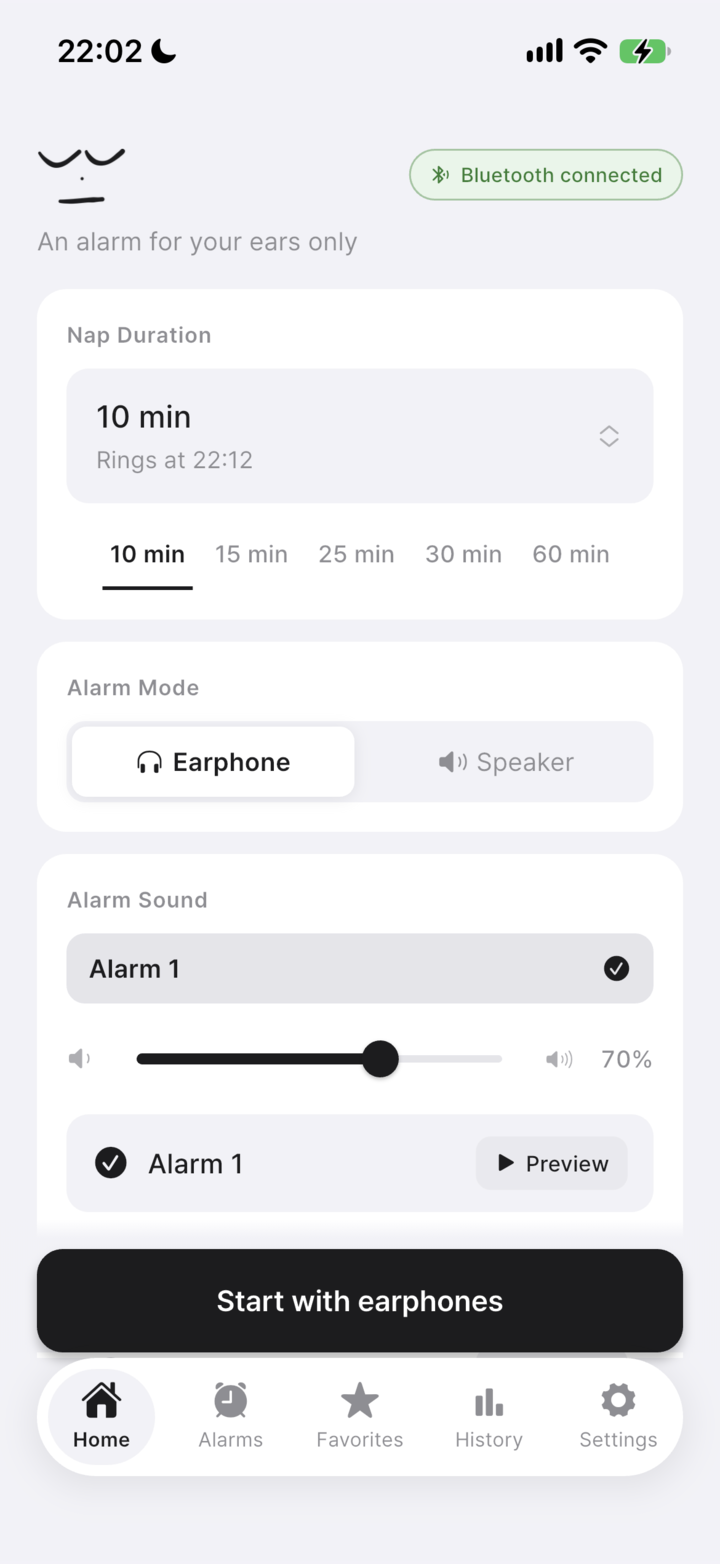
When you open Nenne, you first choose a sleep duration. For a quick nap, you can simply set 15 minutes; when needed, you can set a more precise time. Durations are available in seconds from 10 seconds to 180 minutes, so it fits even the uncertain gaps in a lunch break or commute.
Next, choose how the alarm works. Headphone mode supports both wired and Bluetooth headphones. When the alarm rings, its sound is delivered only to the connected headphones rather than leaking from the device speaker. It is especially useful when you want to avoid startling the person beside you.
You can preview and choose an alarm sound, too. Rather than being startled by something too loud or unfamiliar, choose a sound that suits you ahead of time. When the settings are ready, check your headphone connection and start.
We kept the screen as simple as possible. When you are about to nap, we believe deciding how many minutes to rest and lying down matters more than browsing through features. Everything you need is visible on one screen, then you start when you are ready.
Scene 02
If there are no headphones, we let you know first
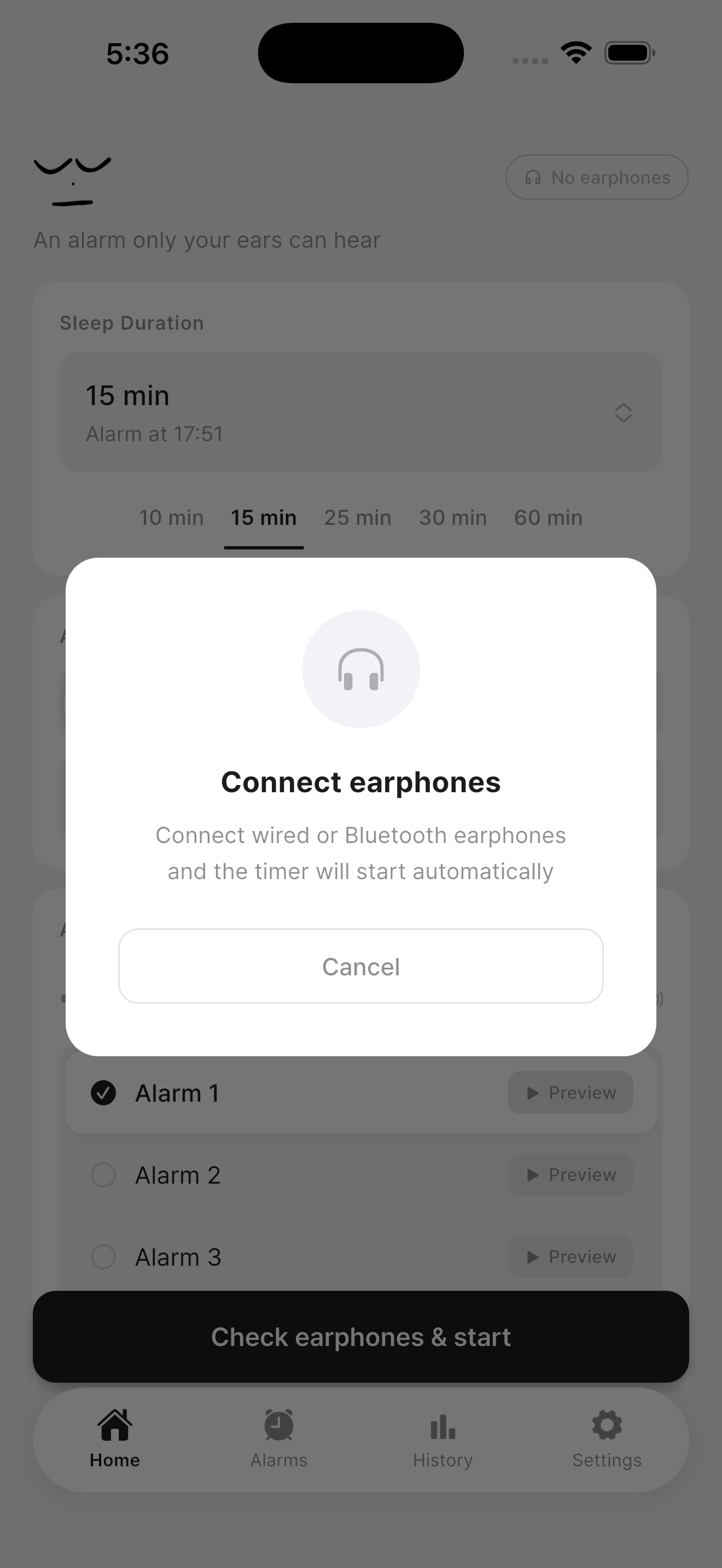
A headphone alarm needs headphones connected to do its job. When you try to start in headphone mode, Nenne checks the connection. If they are not connected yet, it shows a “Please connect your headphones” message and helps you start automatically once you connect wired or Bluetooth headphones.
This helps prevent you from accidentally starting the timer without headphones. As an app for quiet places, we wanted it to be clear—even at the moment you start—that the alarm is ready in the way you expect.
Of course, there are times when headphones are hard to use. Then you can choose speaker mode and use it like a regular timer. Headphone alarms are at Nenne’s core, but you can change the alarm method to fit the place and situation.
Bluetooth headphones work the same way. Connect them to your phone, then start the timer. Rather than adding a separate, complicated device-registration process in the app, we made Nenne work naturally with your phone’s connection status.
Scene 03
Beyond one nap, an alarm you can keep
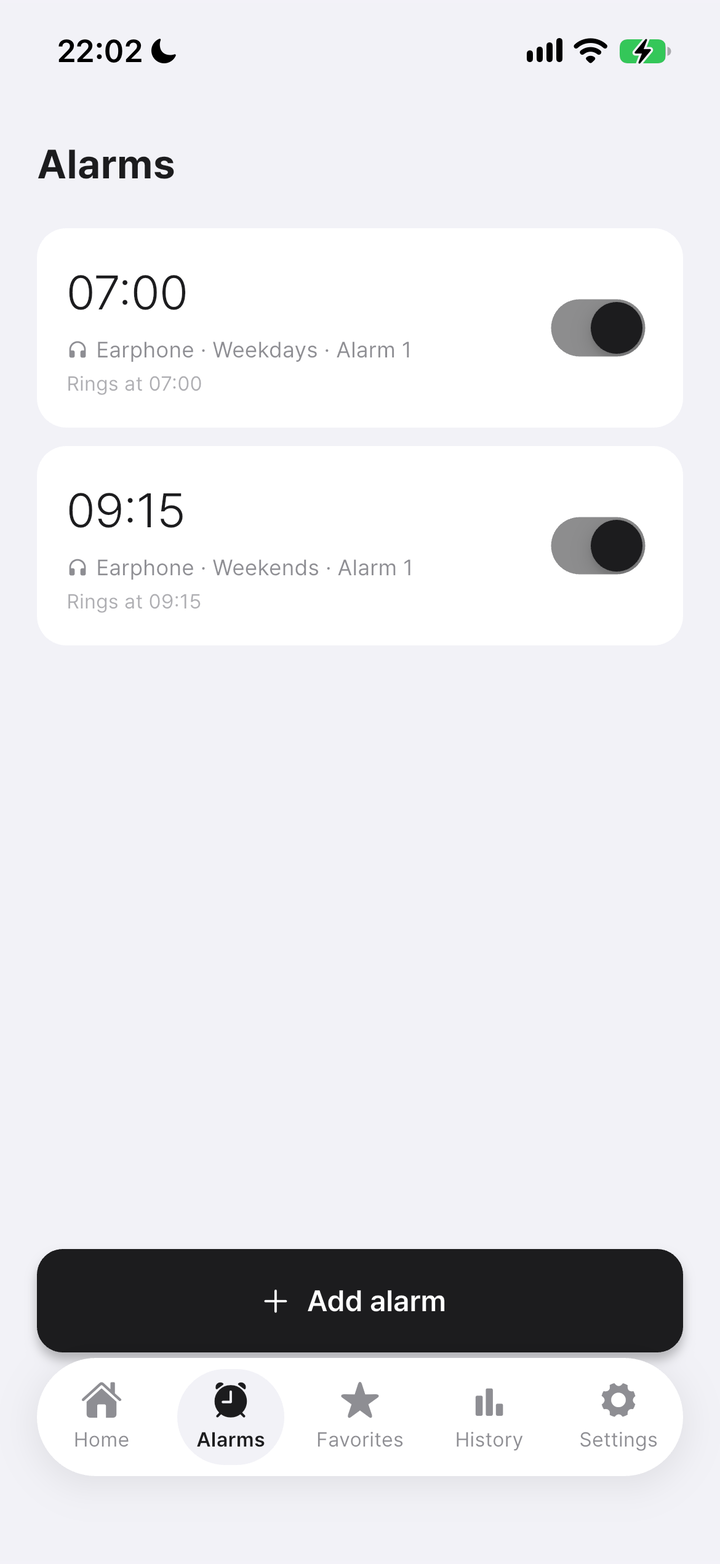
Nenne isn't limited to naps you start by hand. The Alarms tab lets you save a wake-up time that repeats every day, so mornings don't need the sleep duration picker at all.
Each saved alarm shows its time and repeat schedule at a glance, with a switch you can flip on or off right from the list — no need to open the alarm just to pause it for a day.
Tap "Add alarm" whenever you want another one: an early start on weekdays, a later wake-up on weekends, or a reminder for any moment that repeats in your routine.
These alarms ring the same way the nap timer does — through your headphones only, so a daily wake-up alarm stays just as considerate of the people around you.
Everyday moments
Moments that suit Nenne
Nenne is a timer for short rests between everyday moments, rather than an app for tracking or managing long sleep. Use it when you want to close your eyes briefly while studying in a library, rest through the remaining minutes of lunch at your desk, or take a break on the subway or train. The same goes for places where you cannot make much noise, such as classrooms or waiting rooms.
Everyone’s ideal nap length is different. Ten minutes may be enough for some, while others need around twenty. Nenne focuses on setting that time precisely and waking you in a way that does not disturb other people.
Rather than adding many features, we wanted to make an app that works quietly and clearly when you need an alarm. So we carefully started with what a nap needs: an alarm that rings only through headphones, a headphone connection check, and a display of the remaining time.
Nenne
A short rest
shouldn’t have to feel so careful.
Connect your headphones, choose the time you want, and close your eyes for a moment. Nenne is free for iPhone and Android.
Download Nenne